01
Element schedule
For every bar mark: mark, diameter, shape with leg dimensions, length, quantity per element and in total, and weight. Meshes are listed by type and number of sheets.
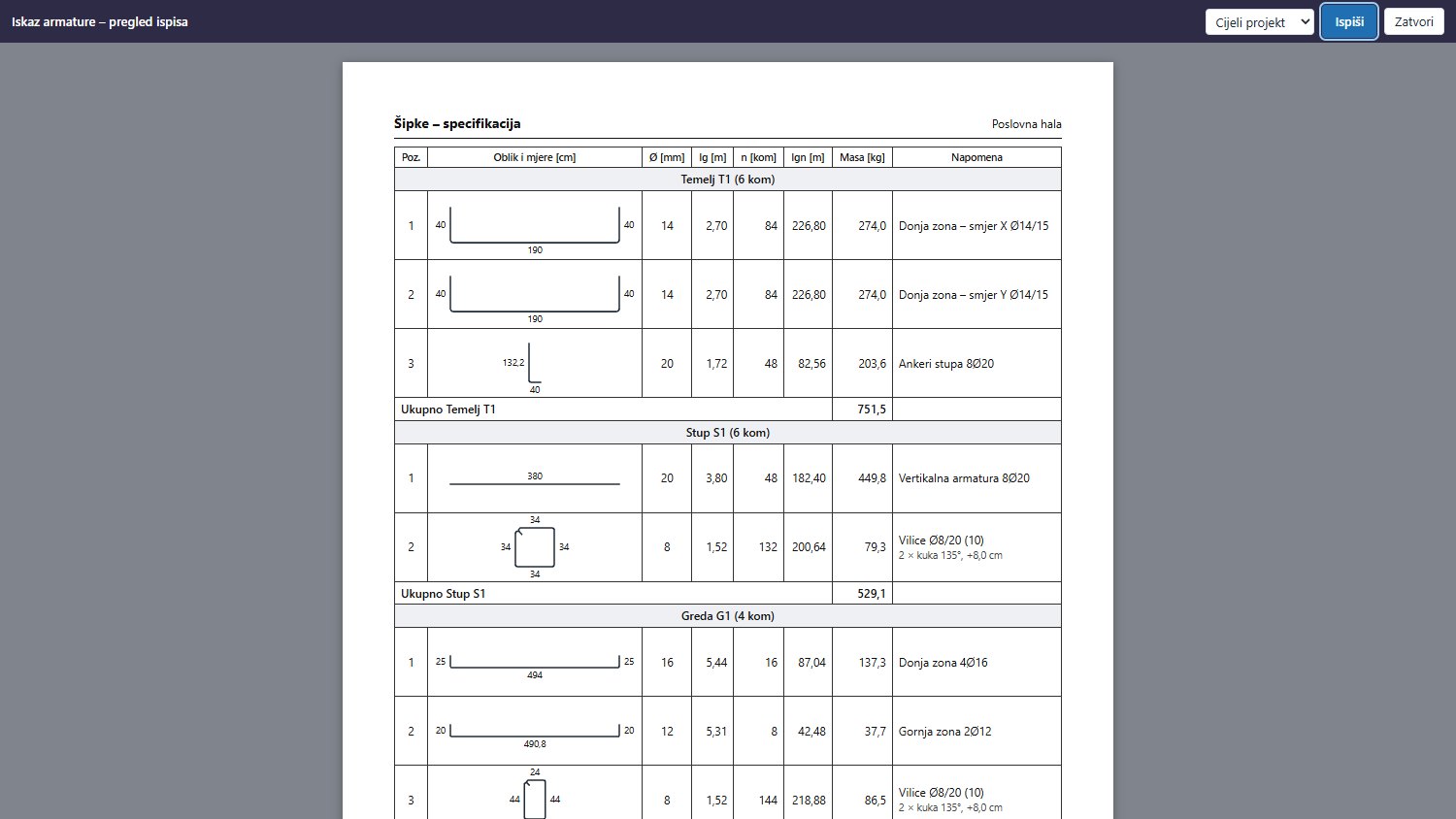
Schedule, summary and printing
The schedule is computed directly from the model: a bar schedule per element with shape, length and quantity for every bar mark, and a weight summary by diameter for the whole project. Nothing is retyped — what is in the model is in the schedule.
For every bar mark: mark, diameter, shape with leg dimensions, length, quantity per element and in total, and weight. Meshes are listed by type and number of sheets.
Total length and weight by diameter for all elements, with quantities multiplied by the number of pieces, plus total weight of bars and meshes.
The print preview lays the schedule out on A4 sheets with bar shape sketches — for the whole project or a chosen element. Print from the browser, also to PDF.
The schedule and summary export as CSV for further work in a spreadsheet.
ARM4CAD 3D runs in the browser with nothing to install — sign in and open the app.
Beam, column, footing, slab, wall — reinforcement from a few numbers
Learn moreEvery element in its place, in one model
Learn moreStarter bars, laps and bar clash checks
Learn moreData for the bending shop and for the BIM model
Learn moreSaved to your account, shared with a view-only link
Learn moreDrawing reinforcement in the drawing, mark by mark
Learn moreBar layout, sections and annotations in the drawing
Learn moreWelded meshes type Q and R in the drawing
Learn moreSchedules from the drawing and settings by design code
Learn more